
Turn Your Own Android Phone Into a Business SMS API.
Connect your own Android device and existing SIM card to your business applications using a secure SMS API, queues, delivery tracking, retries, webhooks, and clear operational logs.
/api/v2/sms/send202A software layer between your systems and your device — not a telecom service.
The customer owns and manages the Android device, SIM card, phone number, and mobile carrier relationship. Yebrax provides the API, relay software, queueing, retries, logs, webhooks, and operations dashboard only.
Software tools for an observable message lifecycle.
We do not sell telecom credits, SIMs, or phone lines. The subscription covers software platform access, API access, and software processing only.
Android Relay Software
Software that connects your own Android device to the platform with device, permission, and connectivity monitoring.
SMS API
A secure API that lets your applications send transactional SMS and OTP through your own existing device and SIM.
Queue & Retry
A clear processing queue with retries and precise attempt states, without Yebrax acting as a telecom carrier.
Status & Webhooks
Track status and logs and return events to your systems through observable webhooks.
Yebrax SMS Relay is software infrastructure, not a telecommunications service.
The customer-carrier relationship stays outside Yebrax. Our role is limited to software, automation, API, queueing, and operational visibility.
From your own device and SIM to your business API in five clear steps.
Your Android Device
You use an Android device that you own and manage.
Your Existing SIM
You use your existing SIM, phone number, and mobile carrier plan.
Yebrax SMS Relay App
The relay app securely connects your device to Yebrax and reports its operational state.
SMS API
Your applications submit transactional SMS and OTP to the API for queue processing.
Queue & Delivery
Yebrax manages queueing, retries, status, webhooks, and logs. Final SMS delivery is performed through the customer SIM and mobile carrier plan.
A direct API, clean JSON, and states you can diagnose.
Use an access token, send the request, get a message ID, then follow status through the API or webhooks while final delivery remains on your own device and SIM.
POST /api/v2/sms/send
Authorization: Bearer ••••••••

{
  "to": "+2136••••••••",
  "message": "Your verification code is ••••••",
  "type": "otp",
  "webhook_url": "https://example.com/hooks/sms"
}{ "queued": true, "message_id": "..." }Business messages tied to a clear event and appropriate consent.
The primary focus is OTP and transactional/operational messaging, not mass marketing or unsolicited messaging.
OTP & verification codes
Login codes, account activation, password recovery, and transaction verification.
Account security
Login and security notifications tied to important account events.
Order confirmations
Order confirmation, status updates, and event-driven purchase notifications.
Shipping notifications
Preparation, shipment, and delivery notices linked to a specific transaction.
Invoice & payment notifications
Invoice, payment-status, and operational finance notifications.
Appointment reminders
Appointment confirmation, reminders, changes, and cancellation notices.
CRM & ERP notifications
Operational messages generated by CRM and ERP systems from explicit events.
Internal business alerts
Alerts for employees and operations teams tied to internal business systems.
The software bridge between your API and your device.
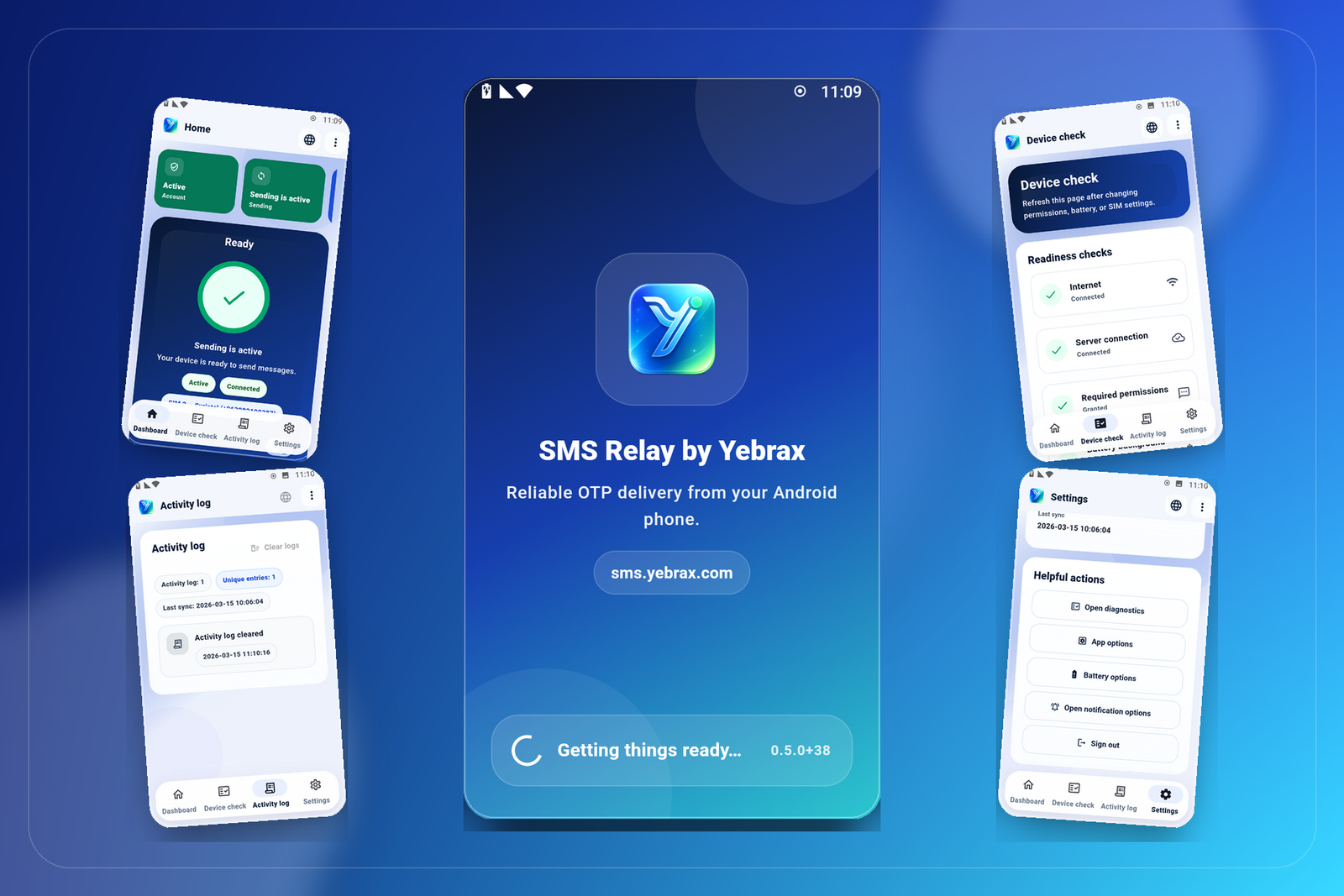
Install the app on your own Android device, grant the required SMS permissions, sign in, then monitor heartbeat, active SIM, and device health. Yebrax does not provide the SIM or phone line.

See the software workspace before connecting your first device.
Login and quick setup
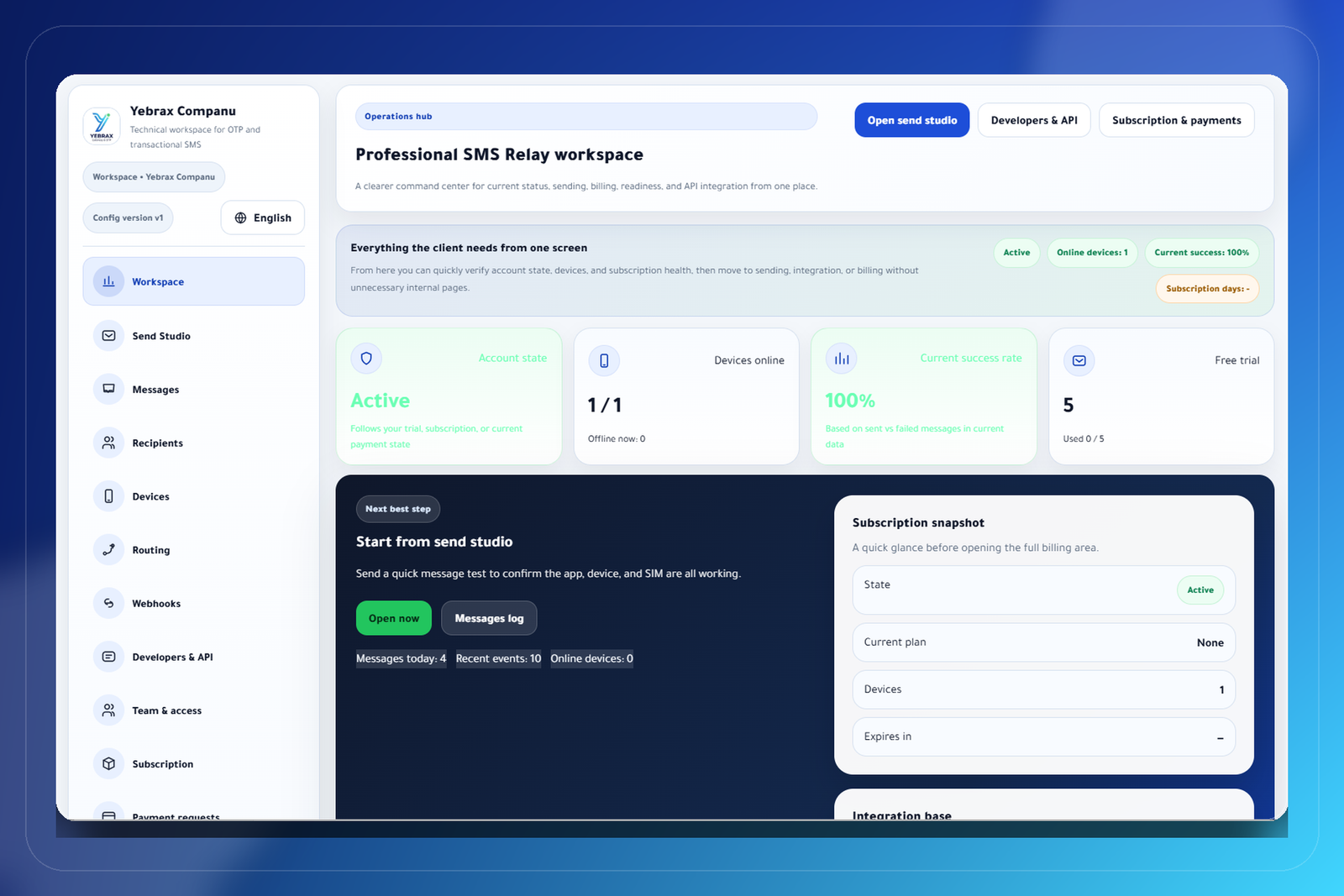
Analytics and operations follow-up
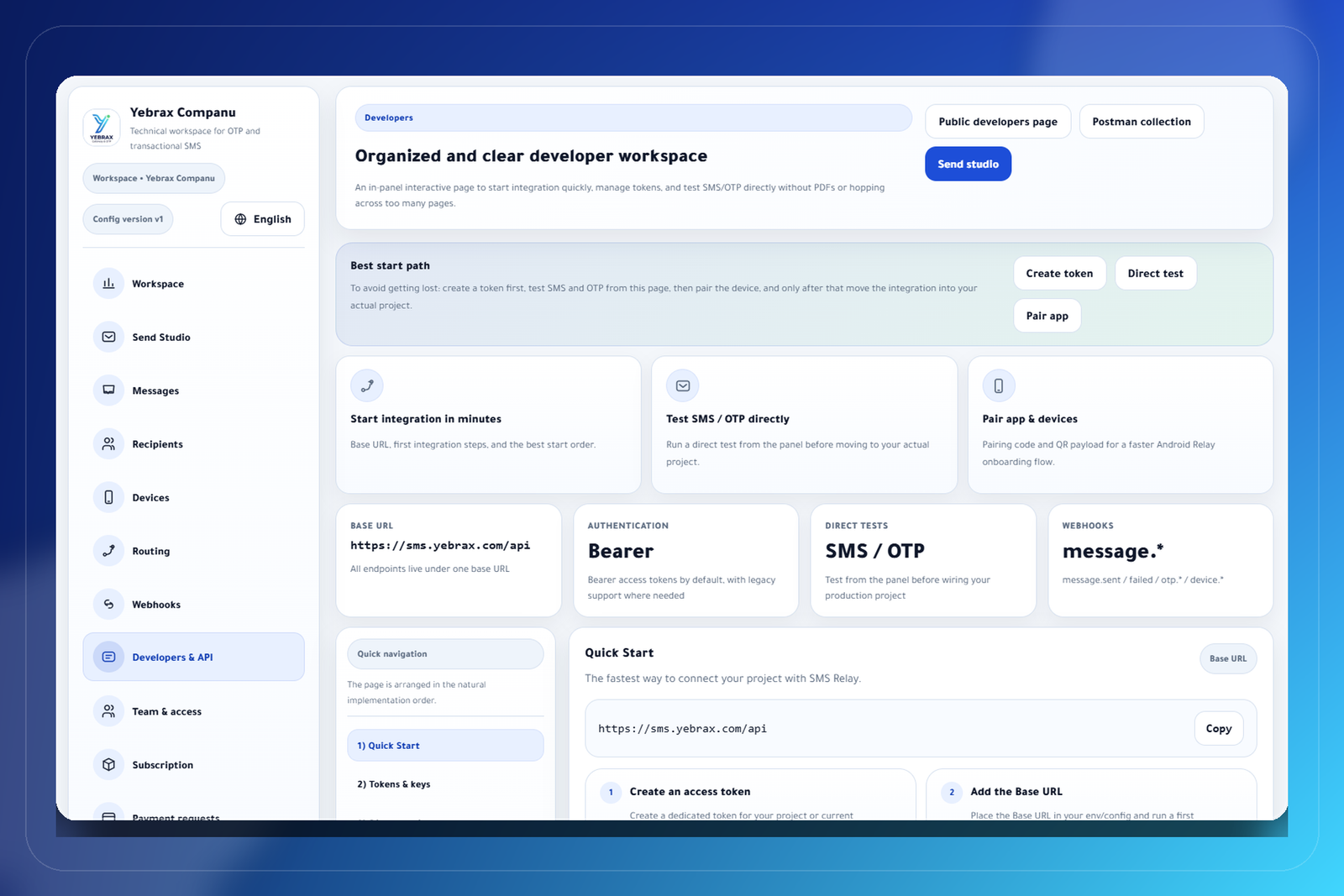
API docs and examples
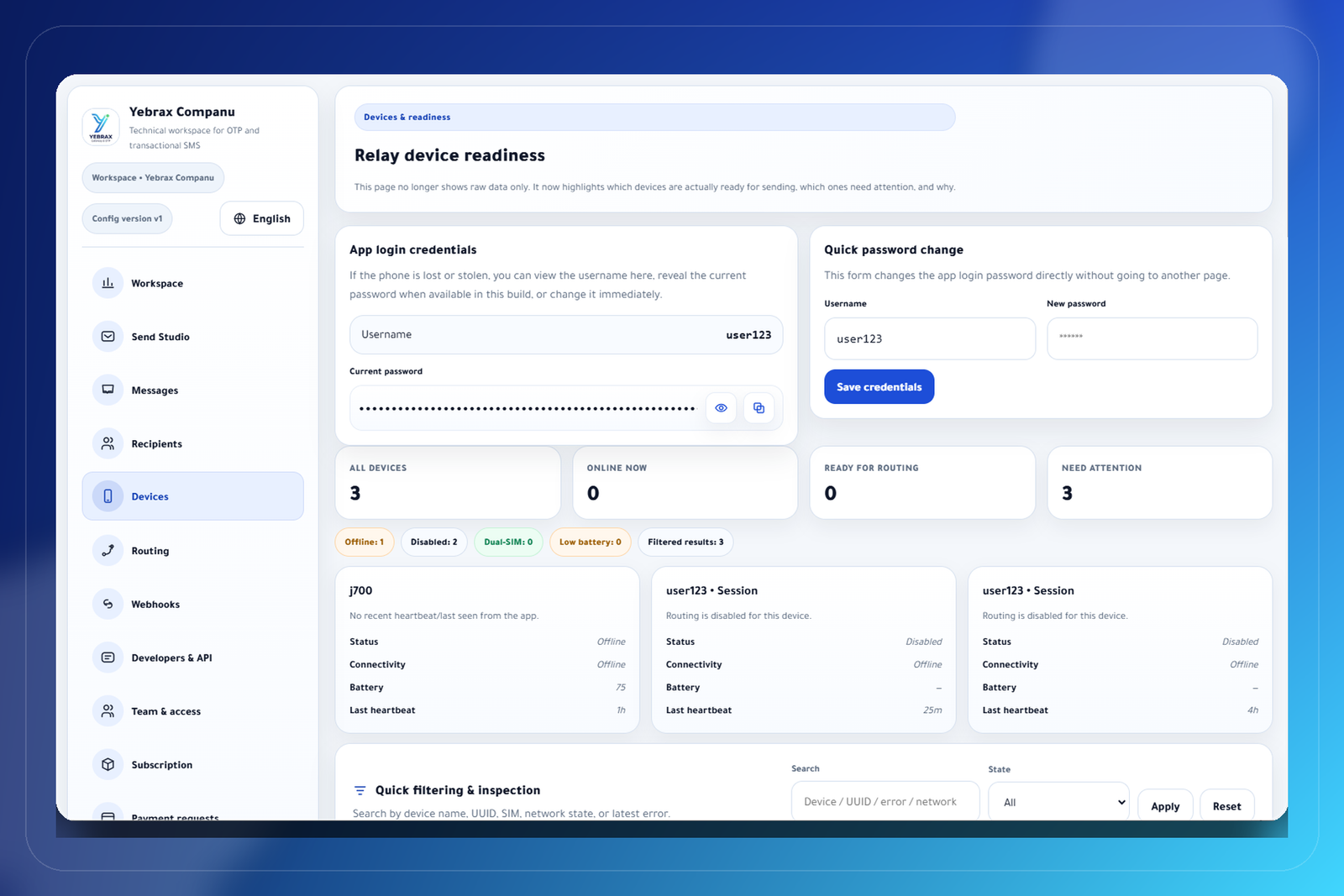
Device and SIM monitoring
Clear answers about what the product is — and is not.
Does Yebrax provide a SIM card?+
No. Customers use their own existing SIM card and remain responsible for their mobile carrier account.
Does Yebrax sell eSIMs?+
No. Yebrax SMS Relay is a software product and does not sell eSIMs.
Does Yebrax provide phone numbers?+
No. The phone number, SIM, and mobile plan remain with the customer and their carrier.
Do I need my own mobile plan?+
Yes. Final SMS delivery is performed from your own Android device using your SIM and your mobile carrier plan.
Is Yebrax a mobile carrier?+
No. Yebrax is a SaaS/software infrastructure provider. It does not operate a carrier network or provide mobile subscriptions or airtime.
What does Yebrax provide?+
Android relay software, API access, queue management, retry handling, status tracking, logs, webhooks, and an operations dashboard.
Who sends the SMS?+
The SMS is sent from the customer-owned Android device using the customer SIM and carrier account. Yebrax manages the software layer only.
Connect your own device and SIM to your systems through a clear software layer.
Create your account, review the software subscription, or open the developer docs before integration.